Shadow Fight 2 on iOS – Complete Guide 2026
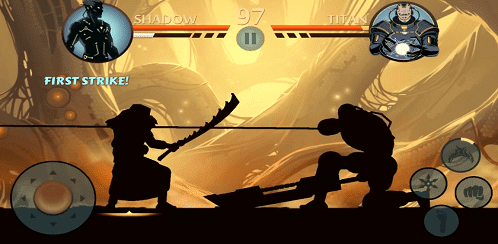
Shadow Fight 2 on iOS brings Nekki’s legendary shadow-silhouette fighting game to iPhone and iPad, with the same seven-act story, deep combat system, and RPG progression as every other version — tuned for touch controls and Apple’s hardware. This 2026 guide covers everything iOS players need: what the iPhone/iPad version includes, device requirements, how it plays on touch, iOS-specific tips, and the differences between the free version and the paid Special Edition.
Shadow Fight 2 iOS Version at a Glance
| Detail | Information |
|---|---|
| Developer | Nekki |
| Platforms | iPhone, iPad (also playable on Apple Silicon Macs via the App Store version) |
| Price | Free with in-app purchases; paid Special Edition also available |
| Controls | Touch-optimized virtual joystick and buttons; MFi controllers supported |
| Save sync | Progress tied to your account — sign in to keep progress across devices |
| Offline play | Core story and most modes work without an internet connection |
What the iOS Version Includes
The iOS version is the complete Shadow Fight 2 experience: all seven story acts, every demon boss from Lynx to Titan, Tournament, Survival, Duel, Eclipse, Underworld, and Challenge modes, plus the full weapons, armor, and enchantment systems. Nothing about the story or progression is cut down on iPhone or iPad.
Playing on iPhone vs iPad
- iPhone: compact and portable; the virtual controls are tight but very playable after a short adjustment period. Great for short sessions.
- iPad: the larger screen makes spacing and timing easier to read — many players consider it the best way to play on touch.
- Controllers: MFi and Bluetooth controllers work and give the most console-like experience if you prefer physical buttons.
- Performance: the game runs smoothly on modern iPhones and iPads; on older devices, closing background apps helps during particle-heavy fights.
iOS-Specific Tips
- Use a controller for bosses. Fights like Widow and Shogun demand precise inputs that a controller makes far easier.
- Enable Do Not Disturb. An incoming call mid-boss-fight can cost you the round — silence notifications before long sessions.
- Keep storage free. Updates need breathing room; a full device is the most common cause of failed updates.
- Sign in before you grind. Make sure your account is linked so hard-earned progress survives a device change.
- Practice the touch controls. Spend ten minutes in early fights just learning the virtual joystick — it pays off for hundreds of hours.
Free Version vs Special Edition on iOS
| Feature | Free Version | Special Edition (paid) |
|---|---|---|
| Full story (7 acts) | Yes | Yes |
| Ads | Yes, between sessions | No ads |
| Energy system | Limits session length | No energy limits |
| Exclusive story content | No | Yes — additional storyline |
| Price | Free | One-time purchase |
For the full breakdown, see our Special Edition vs Original comparison guide.
Getting the Official Game
The only safe way to play Shadow Fight 2 on iOS is the official Apple App Store listing by Nekki. Open the App Store on your iPhone or iPad, search “Shadow Fight 2”, and install the official app. Avoid any website offering iOS game files or sideloading methods — those are unsafe and unnecessary.
Frequently Asked Questions
Is Shadow Fight 2 free on iOS?
Yes. The base game is free on the App Store with optional in-app purchases, and a paid ad-free Special Edition is also available.
Can I play Shadow Fight 2 on iPad?
Yes — it runs on iPad and many players prefer the bigger screen for reading enemy movement.
Does it work offline on iPhone?
The story campaign and most modes work offline; some events and features need a connection.
Can I transfer my Android progress to iOS?
Progress is generally tied to the platform account, so switching platforms usually means starting fresh. Link your account first to be safe.
Do I need a controller?
No — touch controls work well. A controller is optional and mainly helps in the hardest boss fights.